GPS logger data download, logging and analysis with a smart phone
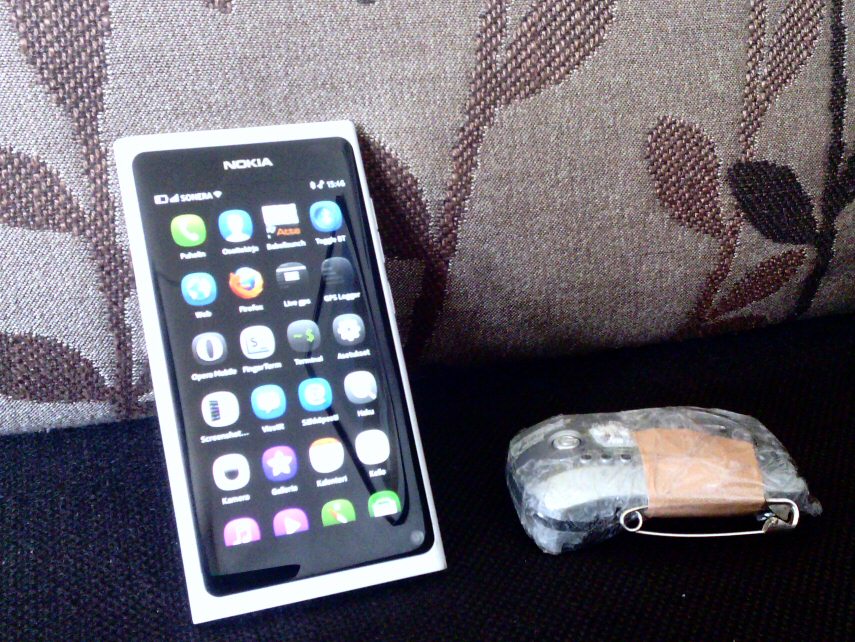
I though I should write something about this because this may be sort of unique. Gear. Globalsat BT-338x GPS and Nokia N9. GPS is in old bt335's slimmed body, with smaller battery to make it lightweight
enough to be carried in cap or shoulder/back/neck instead of pant's back pocket. For better accuracy. So I run with the 45g
logger, not with the phone, that's just for post analysis and to download data from the logger afterwards. And sometimes I
make calls...
Start icon for the download utility is Bala (GPSBabel launcher).
Just tap and shell script starts downloading data from logger over bluetooth. Note polished UI - there is nothing you can do
except wait (or kill it by swiping down). It takes about a minute or two, so while waiting I usually slide the app a bit to
the right to see if there is any unread O news lurking at the background. Script downloads data, splits it in separate
workouts if there is more than 5 min between points, it detects when I have started moving (faster than 8 min/km for 10
seconds just to erase gps fix waiting time from workout time) ,saves data as gpx, kml and txt report. It also posts workouts
to Attackpoint, the training log I have been using for quite some time. The actual logger download is made using gpsbabel, I have that installed on the phone. The rest is
simple Perl and Python scripting.
So, when it's done I swipe down and get task view, look what's lurking there, that's Attackpoint (and the screen capture
app...).
And at my log the workout is already waiting, gps track and all, as "generic training", so I can right away take a look at
track on google satellite imagery. I usually add details and change activity type later, this one was just a test, some
zigzag logging by the windows. I get also link to a "dot map" for more detailed analysis, to be used for counting seconds
lost for hesitating or being too stupid to run straight to the control. I usually take a look at it with phone's Firefox
browser (aka Fennec). Like this clip from last weekend:
Ouch! That mistake took about 1.57, it still hurts. Full image here, doesn't tell much to you because you did not run it. But sure tells me what and where I did
wrong.
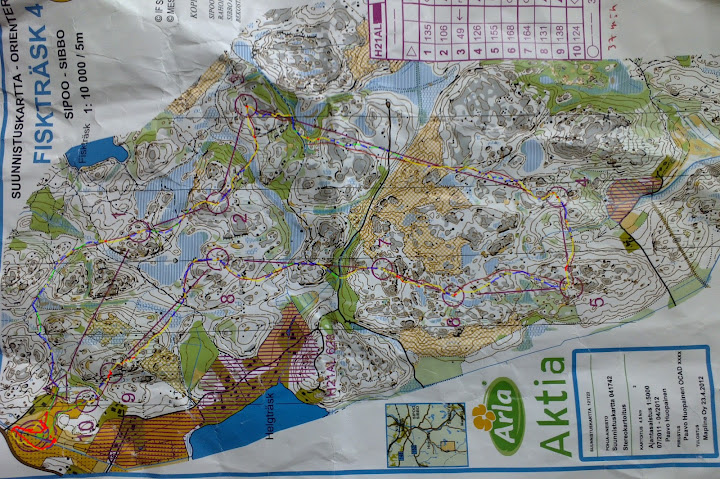
Then/later when I have time I take a picture of the map with the phone's 9 Mpix camera and lauch QDRoute app. It is a script I wrote to make quickroute style gps track overlay images with the phone. It lets me open a gpx file, a image file and lets me add blue adjustment poins. I add when needed and just drag poits until speed color coded track fits the map. Then save and exit. And post to DOMA or picasa or where ever.